Monday, July 6, 2026
Interview Scheduling Automation: End the Email Back-and-Forth

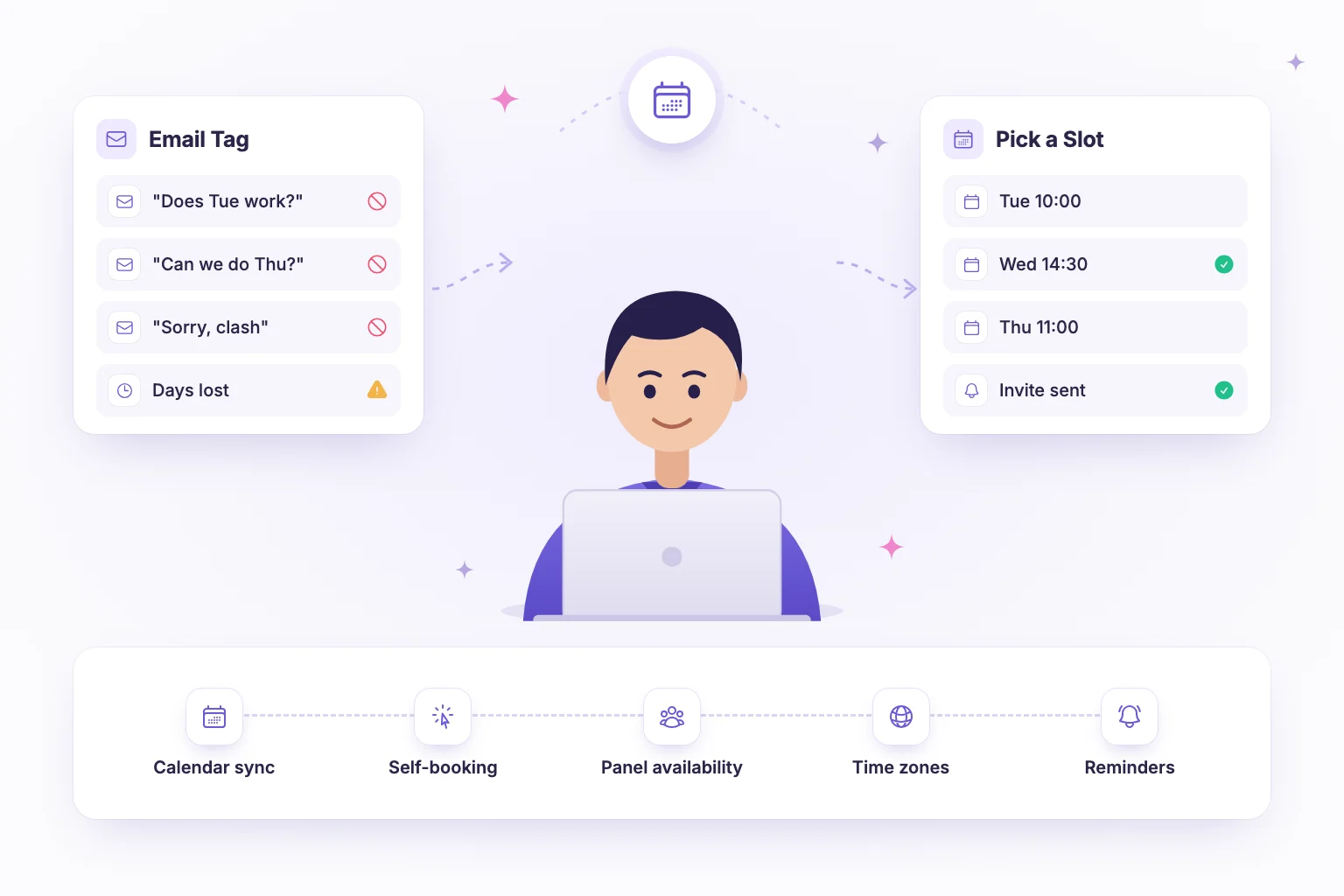
Interview scheduling automation means letting software, not a recruiter inbox, match candidates with interviewer availability. The system reads connected calendars, offers only valid slots, lets candidates book themselves and handles confirmations, reminders and rescheduling. Done well, it removes days of email back-and-forth from every hire and gives candidates a faster, more respectful experience.
This guide explains what scheduling back-and-forth really costs, how self-scheduling works under the hood, and the rules for panels, time zones, buffers, reminders and rescheduling that make automation reliable.
The hidden cost of manual interview scheduling
Scheduling a single interview by email looks trivial: propose a few times, wait for a reply, confirm. In practice, one interview often takes several messages over two or three days, especially when an interviewer's calendar changes or the candidate is in another time zone. Multiply that by every candidate, every round and every open role and scheduling quietly becomes one of the biggest time sinks in recruiting.
The cost is not only recruiter hours:
- Slower time to hire. Each day spent coordinating is a day the candidate may be talking to another employer. See our guide to reducing time to hire for where else delays hide.
- Errors. Double bookings, wrong time zones and missing video links are all more likely when details are copied by hand.
- Poor candidate experience. Long gaps and confusing threads signal a disorganised team.
- Interviewer fatigue. Back-to-back sessions with no preparation time lower the quality of evaluation.
How candidate self-scheduling works
Self-scheduling flips the process. Instead of the recruiter proposing times, the candidate receives a link showing slots that are genuinely open, picks one and gets an instant confirmation. Behind the scenes, a typical automated interview scheduling flow looks like this:
- Calendar connection. Interviewers connect their work calendar, usually Google Calendar or Microsoft Outlook, so the system can read busy times.
- Availability rules. The team defines interview hours, duration, buffers, minimum notice and how far ahead candidates can book.
- Slot generation. The system combines free time with the rules and shows only valid slots, converted into the candidate's local time.
- Booking. The candidate picks a slot; the event is written to the interviewer's calendar and both sides receive confirmation.
- Reminders and changes. Automated reminders go out before the interview, and the candidate can reschedule within the policy.
The best results come when booking is triggered automatically by the hiring workflow, for example sending the booking link the moment a candidate passes an assessment, so there is no waiting for a recruiter to notice the result.
Coordinating panel interviews
Panels are where manual scheduling hurts most, because every extra person reduces the number of overlapping free slots. A few rules make panel interview coordination manageable:
- Keep panels small. Two or three interviewers per session is usually enough; more rarely adds signal.
- Use interviewer pools. Define which interviewers are interchangeable for a stage so the system can offer any slot where at least one qualified person is free.
- Separate required from optional. Only block a slot on the people whose attendance is essential.
- Balance the load. Rotate interviewers so the same people are not booked every day, and cap interviews per person per week.
Give every panel member the same structured scorecard so the time you saved on scheduling turns into consistent evaluation.
Time zones, buffers and availability rules
Time zones
Always store times in a standard format and display them in each person's local zone. Show the candidate's time zone explicitly on the booking page and in the confirmation, and let them change it if their device setting is wrong. For distributed teams, define interview hours per interviewer rather than one company-wide window, so nobody is asked to interview at midnight.
Buffers
Add a buffer of 10 to 15 minutes after each interview for scorecard notes, and a short buffer before for preparation. Buffers prevent overruns from cascading and noticeably improve the quality of written feedback.
Notice and booking window
Require at least 24 hours notice and limit bookings to the next one to two weeks. A short window keeps momentum; minimum notice gives interviewers time to read the candidate's assessment results beforehand.
Reminders and rescheduling policy
Automated reminders reduce no-shows and last-minute confusion. A simple sequence works for most teams:
| Message | Timing | What to include |
|---|---|---|
| Confirmation | Immediately after booking | Date and time in local zone, duration, interviewer names, meeting link, reschedule link, what to prepare |
| Reminder | 24 hours before | Time, link, a one-line agenda, contact for problems |
| Final reminder | 1 hour before | Link and a note to test audio and video |
| Interviewer brief | Day before | Candidate profile, assessment results, scorecard template |
| Follow-up | Within 1–3 working days after | Next steps and expected timeline |
For rescheduling, publish the rules in the confirmation: for example, candidates can reschedule up to 12 hours before, using the same link, up to twice. When the company has to move an interview, send new slots immediately and prioritise the candidate's choice. A clear policy removes awkwardness on both sides.
Choosing interview scheduling software
When you evaluate interview scheduling software, check for:
- Two-way sync with the calendars your interviewers already use.
- Support for panels, interviewer pools and per-person working hours.
- Buffers, minimum notice and booking windows you can configure.
- Automatic time zone handling on every screen and email.
- Integration with your hiring pipeline, so booking happens as a stage rather than a separate tool.
- A branded, mobile-friendly booking page for candidates.
The last point matters more than it seems. If scheduling lives outside the pipeline, someone still has to notice that a candidate is ready and send the link by hand, and the delay you wanted to remove comes back.
Rolling out automated interview scheduling
Switching every role at once rarely goes smoothly. A phased rollout over three or four weeks lets you fix rules before they affect many candidates:
- Week 1: connect calendars. Ask every interviewer to connect their calendar and set working hours. Chase anyone whose calendar is incomplete; one missing block causes double bookings later.
- Week 2: pilot one role. Pick a role with steady volume and simple rounds. Set duration, buffers, notice and booking window, then watch the first bookings closely.
- Week 3: add panels and pools. Once single interviews work, introduce panel stages and interviewer pools for interchangeable roles.
- Week 4: connect it to the pipeline. Trigger booking links automatically from the stage before, such as a passed assessment, and retire manual invitations.
Signs your scheduling automation is working
- The time between a candidate passing a stage and booking an interview drops from days to hours.
- Recruiters stop sending scheduling emails except for genuine exceptions.
- No-shows and double bookings become rare.
- Interviewers submit scorecards on the same day, helped by buffers.
If candidates regularly pick the very last slot in the window, or email asking for other times, you probably need more interviewers in the pool or wider availability, not a longer booking window.
How NirnAI helps with interview scheduling automation
NirnAI treats scheduling as part of the hiring workflow rather than a separate task. Interviewers connect Google Calendar or Microsoft Outlook, and candidates self-book available interview slots without a single email thread. Auto-booking writes the event to the right calendar as soon as a slot is chosen.
In the visual workflow builder, you add an interview booking stage after an assessment. Candidates who meet the criteria auto-advance and receive their booking link straight away, while the real-time Kanban pipeline shows who has booked and who is still pending. Because assessment scores, integrity insights and structured scorecards sit in the same place, interviewers arrive prepared and rate every candidate against the same rubric. Custom branding keeps the booking experience consistent with your company, and analytics show time to attempt, complete and evaluate so you can see where candidates wait.
Read more about replacing spreadsheet-driven hiring with visual workflows, or start a 14-day free trial and set up your first self-booking stage.
Frequently asked questions
- What is interview scheduling automation?
- Interview scheduling automation is software that connects to interviewers calendars, finds open slots and lets candidates book a time themselves, instead of a recruiter trading emails to agree on a time. Good tools also add buffers between interviews, send confirmations and reminders, handle time zones automatically and let candidates reschedule within rules the team sets in advance.
- Does self-scheduling work for panel interviews?
- Yes, as long as the system can check the availability of every required interviewer and only offer slots where they are all free. Many teams keep panels small, define one required interviewer and a pool of alternates, and schedule longer blocks with built-in breaks. For very senior roles some coordination may still be manual, but self-booking covers most first and second rounds.
- How far in advance should candidates be able to book?
- A window of two to ten working days suits most roles. Require at least 24 hours notice so interviewers can prepare, and avoid opening slots more than two weeks out, because long gaps increase the chance a candidate accepts another offer. Review the window if you notice many candidates choosing the last available day, which suggests too few slots.
- What is a fair interview rescheduling policy?
- A fair policy allows candidates to reschedule once or twice without explanation, up to a cut-off such as 12 or 24 hours before the interview, using the same self-booking link. If the company needs to reschedule, the recruiter should apologise, offer new slots immediately and prioritise the candidate. Publish the policy in the confirmation email so nobody has to ask.